Most people browse the internet from their phone. They’re comparing prices while standing in a store. Checking your hours from their car. Looking for emergency help at midnight. Their phone is the first place they turn.
This isn’t a trend anymore. It’s how the world works now. And if your website doesn’t work great on mobile, you’re losing customers every single day.
The World Has Moved to Mobile
Your website gets more views on phones than computers. It doesn’t matter if you run a local bakery or a nationwide service company, that’s just the reality now.
When a website doesn’t work well on small screens, people notice immediately. The text is tiny. Buttons are impossible to tap. Important info gets buried. So they leave within seconds and try the next business.
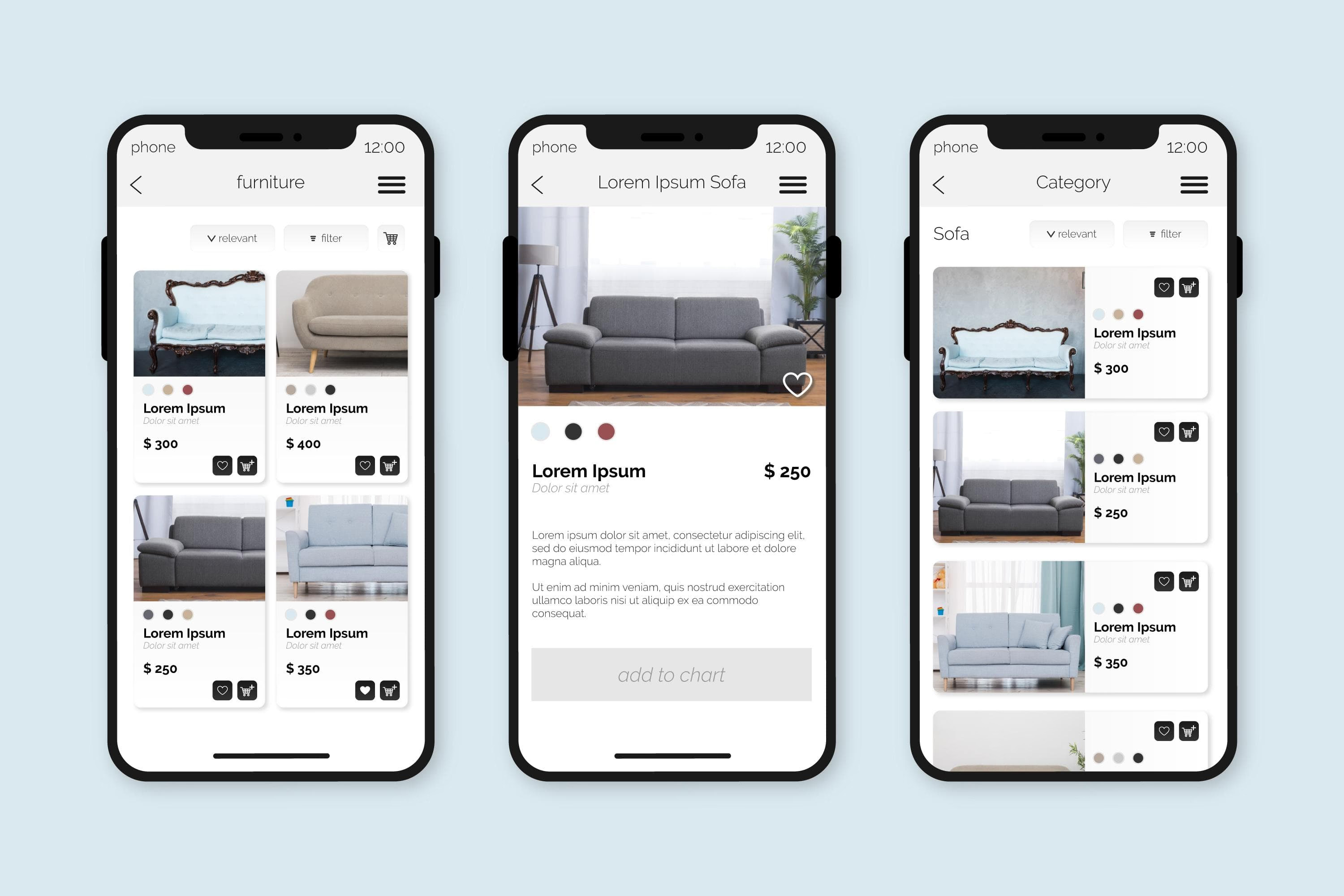
Mobile-first design fixes this by making the phone experience the priority from day one. Everything is built for small screens first, then scaled up for bigger devices.
First Impressions Happen on Small Screens
Picture someone standing in a parking lot with a flat tire. They’re stressed, it’s getting dark, and they need a towing service fast. They’re not going to zoom in and scroll sideways trying to find your phone number. They want answers now.
A mobile-first website gives them exactly that. Clean layout, easy reading, phone number right at the top. When visitors can instantly find what they need, they trust you more. When they have to work for it, they move on.
Your first impression happens on a 6-inch screen. Make it count.
Why do search engines reward mobile-friendly websites?
Google judges your website mainly by how it works on mobile. If your site loads slowly on phones or looks broken on small screens, your ranking drops, even if the desktop version is perfect.
Mobile-first design helps you load faster. It focuses on essentials, uses lighter code, and skips unnecessary clutter. Search engines can crawl your site easier. Customers can find you easier. Better mobile performance means better visibility, which means more people discovering your business.
It’s simple: Google cares about mobile. So you should too.
How does faster loading affect your website’s conversions?
People expect websites to load in about two seconds. On mobile, they expect it even faster. Every extra second of loading time pushes more visitors away before they even see your content.
Mobile-first design keeps things fast by staying lean and efficient. A landscaping company with a quick-loading mobile site will get more quote requests than a competitor whose homepage takes ten seconds to appear.
Speed builds confidence. When your site feels quick and smooth, people stick around. When it drags, they bounce.
A Simple Mobile Experience Builds Trust
Good mobile design isn’t about cramming everything onto a tiny screen. It’s about creating a calm, easy experience.
Big text that’s comfortable to read. Buttons that are simple to tap with a thumb. Clear sections that make sense at a glance. When people can use your site without frustration, they stay longer and learn more about what you offer.
A smooth mobile experience tells visitors you respect their time and understand their needs. A clunky one tells them you haven’t kept up.
How does mobile-first design future-proof your business?
Technology keeps changing, but mobile-first design keeps you flexible. When you build for the smallest screen first, scaling up to tablets and laptops is easy.
This approach also supports newer features like touch gestures, location services, and voice search. As phones get smarter, your website stays ready.
Starting with mobile isn’t just about today. It’s about staying adaptable for whatever comes next.
What Mobile-First Looks Like in Practice
Mobile-first is a design process, not a plugin or a theme setting. A responsive site simply rearranges itself to fit a smaller screen. A mobile-first site is planned around the phone from the start, so the content, layout, and calls to action are chosen for a visitor holding a phone in one hand.
For a service business, that usually means:
- A tap-to-call phone number in the header. On a phone, calling is often faster than filling out a form, so the number should be one tap away on every page.
- One clear action per screen. “Book a service,” “Get a quote,” or “Call now.” Visitors on a small screen won’t hunt through three competing buttons.
- Short contact forms. Typing on a phone is tedious. Ask only for what you need to start the conversation, and show the right keyboard for each field (numbers for phone, email for email). Our post on contact form best practices covers the rest of the mobile form details.
- Readable text without zooming. Body text around 16px or larger, with enough line spacing to read comfortably outdoors.
- Tap targets sized for thumbs. Buttons and links far enough apart that visitors don’t hit the wrong one.
- Lightweight images. Photos compressed and sized for the screen they’re shown on, so pages load quickly on a cellular connection.
- Service areas and hours near the top. A visitor in Calgary or Edmonton should know within seconds whether you serve their neighbourhood and when you’re available.
None of this makes the desktop version worse. It means every decision is tested against the hardest case first: a small screen, a slower connection, and a visitor in a hurry.
How to Check Your Own Website on Mobile
You don’t need special tools to get a useful first read. Open your site on your own phone, on cellular data rather than Wi-Fi, and try to do what a new customer would do:
- Find out what you offer and where you work, without scrolling more than once.
- Call the business from the homepage.
- Fill out and submit your contact form.
- Find one piece of proof that you do good work, such as a review or a project photo.
If any of those steps takes more than a few seconds or makes you zoom, pinch, or scroll sideways, your visitors are running into the same problem. Google’s free PageSpeed Insights tool also shows how quickly your pages load on mobile and what slows them down.
For a broader look at how design decisions affect leads, see our complete guide to web design for service businesses. If you work in the trades, contractor website design covers the mobile patterns that matter most for urgent, local searches.
Final Thoughts
You can’t treat mobile design as an afterthought anymore. Most visitors arrive on their phones. That mobile experience shapes your first impression, your search rankings, and whether people become customers.
A mobile-first website feels faster, cleaner, and more trustworthy. It makes everything easier for your visitors, which makes everything better for your business.
When your website works beautifully on mobile, everything else falls into place.
If you’d like your site built mobile-first from the ground up, our web design services for service businesses start with the phone experience and scale up from there.